The cashier system that calls your supplier before the shelf is empty.
Scan and sell. Madar takes every item off the shelf as it sells, knows when one is running low, and puts the supplier's number and a ready written WhatsApp order on your phone. Customer and supplier credit, expiry dates and receipts in Arabic and English are in the same place.
What a grocer does all day, in one place.
Sells as fast as the queue
Scan, or type a few letters. Cash with the change in large numbers, card, on account, or split. Weighed items, discounts within the limit you set, returns of single items, and a cash count at the end of every shift. Standard keys: F4 cash, F7 card.
Knows before the shelf is empty
Each item has a full shelf and an alert point, 20% unless you change it. Madar also works out how many days are left at the pace it sells, and groups what to order by supplier.
Who owes you, and whom you owe
Accounts for regulars, with a credit limit the cashier holds to and a statement you send on WhatsApp. Deliveries paid now or on the supplier's credit, with the date it falls due.
Optional, per item
Give a shelf life once, and every delivery is dated by itself. Sales take from the batch that expires first, and you hear a few days before anything expires.
Excel, Word, PDF, even your old system
Import a supplier's price list or the export from your old point of sale. Madar finds the table by its headings, in English or Arabic, and shows you what it read before anything is saved.
Arabic and English, on an 80 or 58 mm roll
A simplified tax invoice with your VAT number, a tax invoice with the buyer's name and VAT number when a business asks, the shop's copy with a line to sign, and a refund slip.
From the last bag on the shelf to the delivery, in four steps.
- 01 · THE SALE
The cashier takes it off
Every sale lowers the stock at that branch the moment it is paid, priced by the system, never by hand.
- 02 · THE POINT
It reaches the alert point
At 20% of a full shelf, or the point you set for that item, Madar raises the alert once for this run down.
- 03 · THE CALL
Your phone rings
The notification names the item, what is left and the supplier. One tap calls them; another opens WhatsApp with the order already written.
- 04 · THE DELIVERY
The shelf is full again
Record what arrived and what it cost. The stock goes up, the new cost becomes the cost price, and what you owe the supplier is kept.
The line goes down. The queue keeps moving.
The cashier screen keeps its own copy of your price list. Cash and card sales go on, receipts print, and every sale waits safely on the device until the connection is back. Then it goes to Madar by itself.
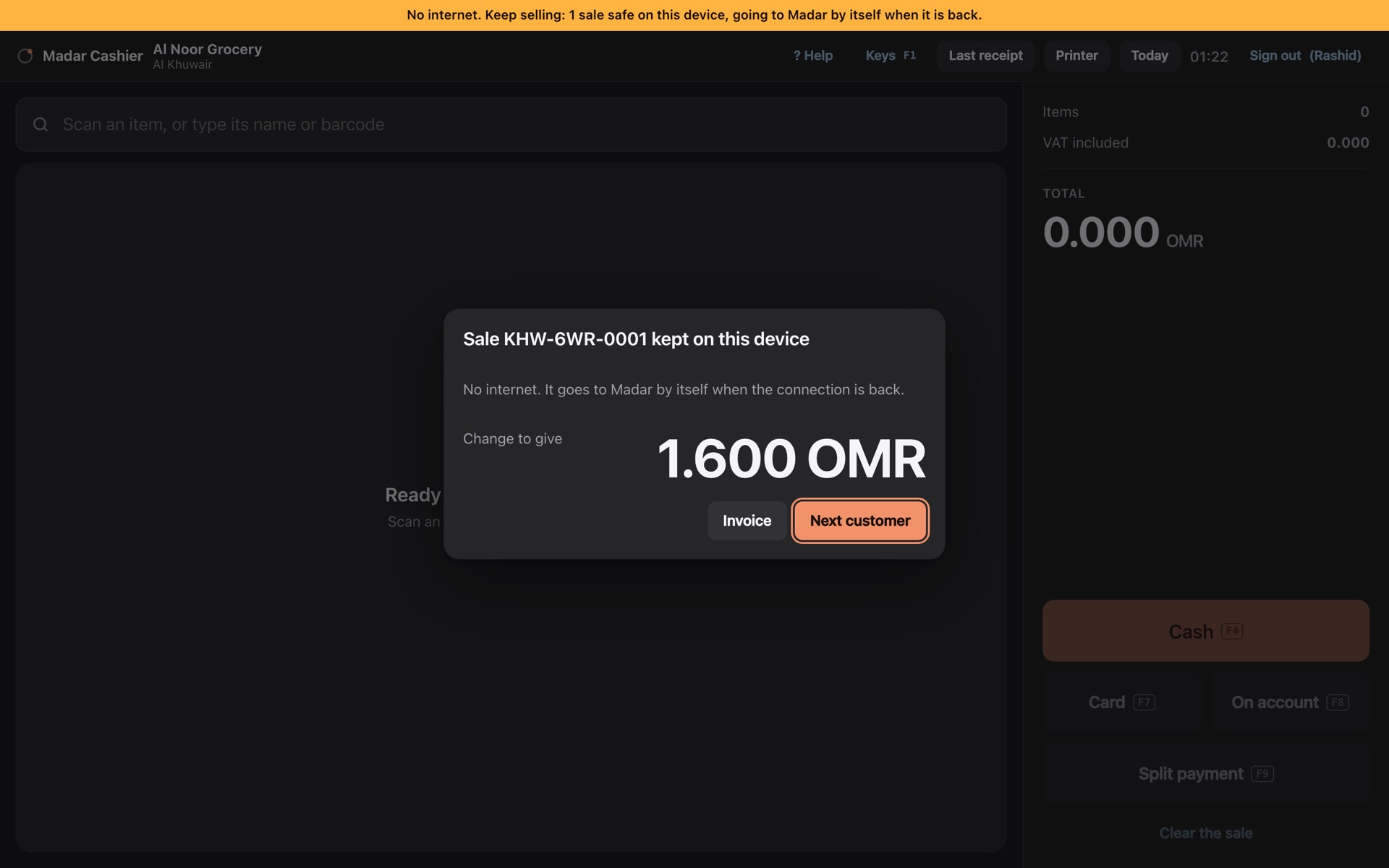
Keep selling
The banner says so plainly. Each sale gets its own receipt number, like KHW-6WR-0001, and prints at once.
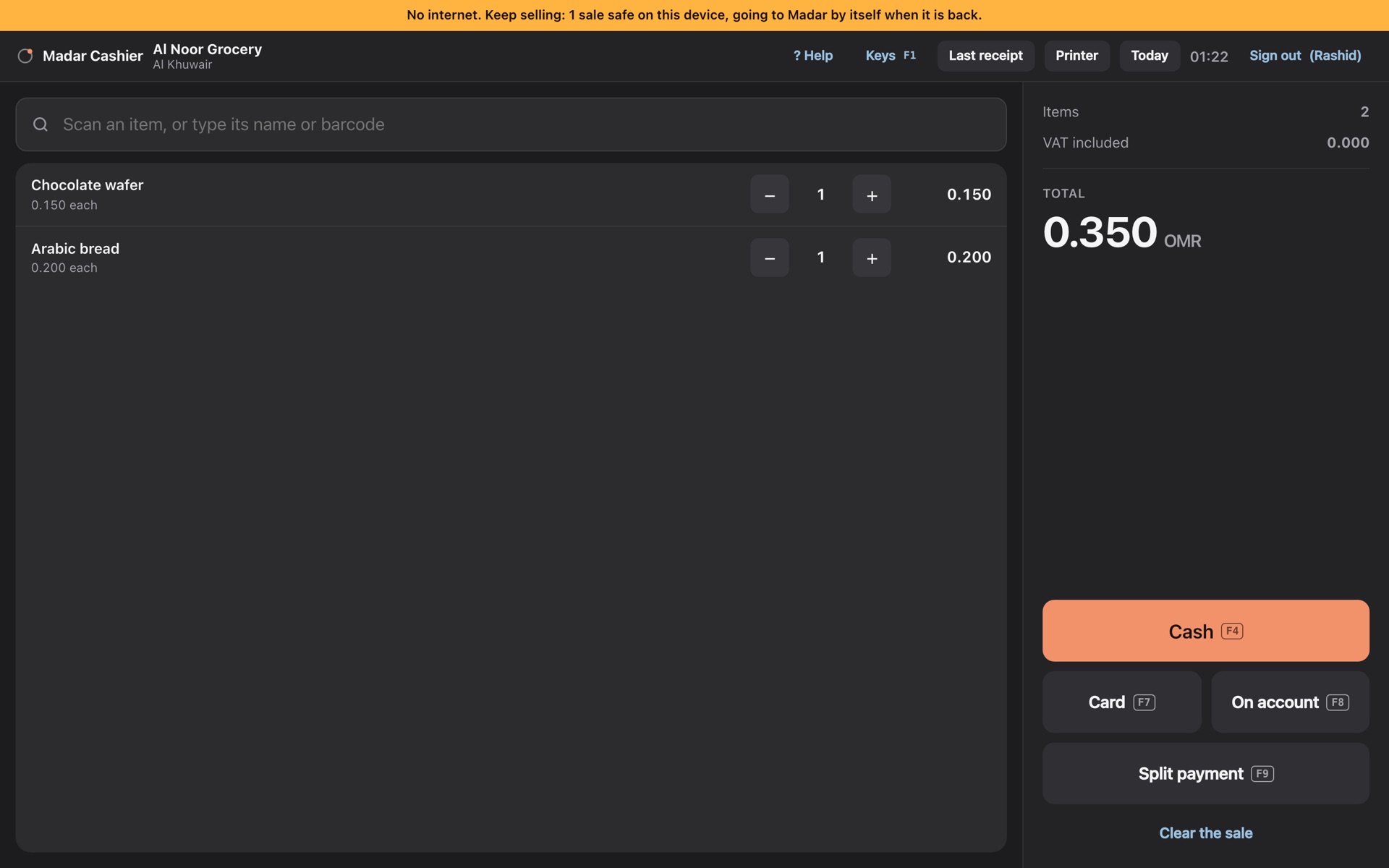
Nothing is lost
Sales wait in the order they were made, even if the screen is closed or reloaded. Signing out keeps them for the next login.
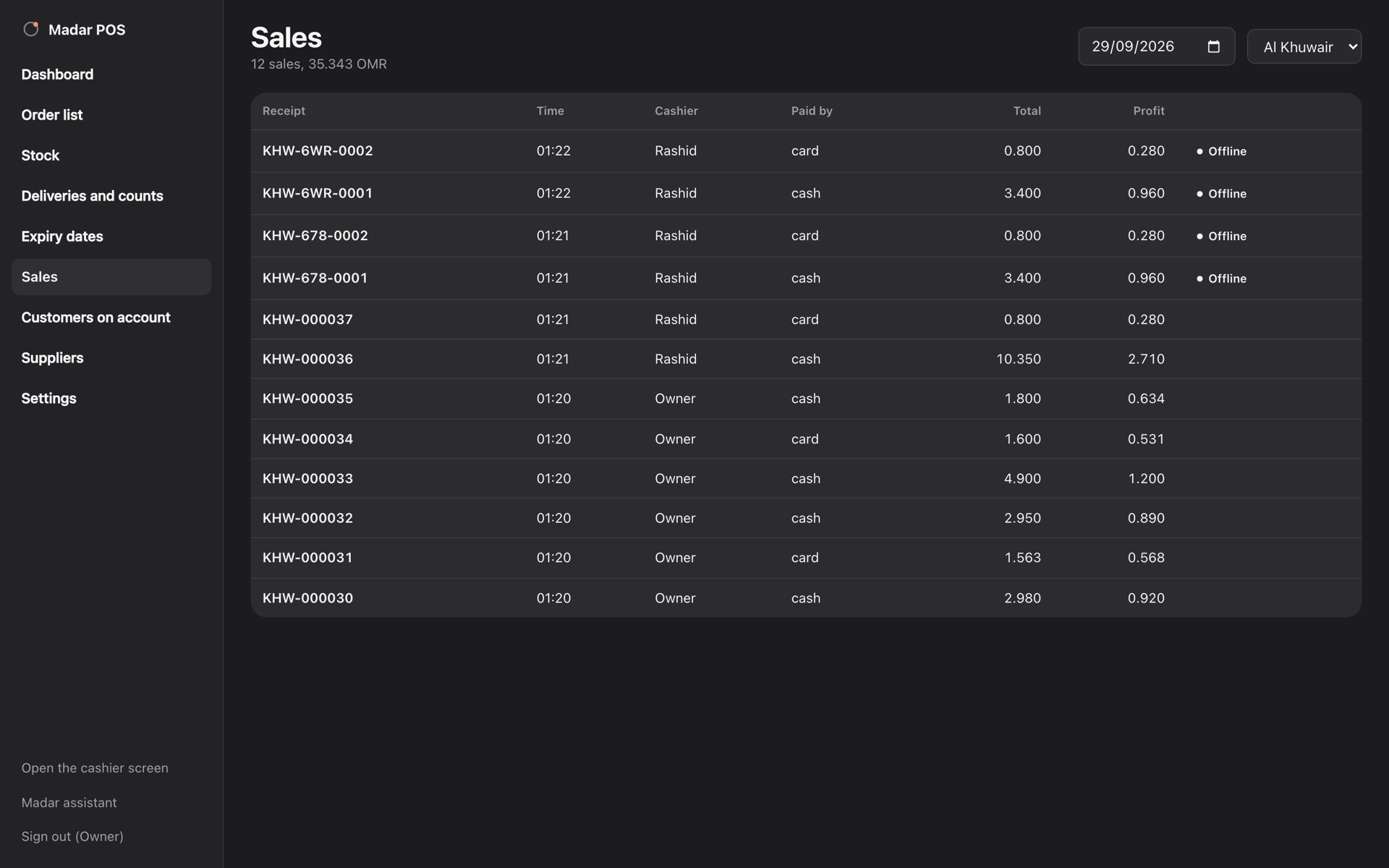
They send themselves
Each sale reaches Madar once, with the time it was made and the number its receipt printed. The owner sees which ones were made offline.
A sale on account, a return and closing the shift need Madar's answer, so they wait for the connection. Tested by cutting the line in the middle of a day's selling.
The cashier never guesses.
Prices, totals, VAT, stock and balances are worked out by fixed rules, the same way every time, down to the last baisa. A sale sent twice after a dropped connection is recorded once.
- Owner: everything, including Madar's AI assistant to ask "what sold most this week?"
- Manager: the admin portal and the cashier screen, as far as the owner allows. In a small shop, one person does both.
- Cashier: the cashier screen, nothing else. No cost prices, no margins, no settings.
- A ? on every screen walks each person through it, one part at a time.
Your shop, your database.
- Every shop has its own workspace and its own database, never shared with another customer.
- Backed up every night, encrypted.
- Passwords, with an authenticator app as a second step if you want one.
- What a manager may change is your choice, and it is enforced on our server, not only hidden on the screen.
- Every sale, delivery, count, void and refund is kept, with who did it. Download all of it, one file per table, whenever you like.
- It updates itself. Nothing to install, and a cashier screen left open for days picks up the new version when the basket is empty.
One branch included. Add the others as you go.
Prices in US dollars. Add branches when you buy, or later from inside Madar. Paying for the year is 20% off.
Grocery
- Up to 3,000 items
- 3 cashiers and 1 manager a branch
- Everything on this page
- The owner's Madar assistant, with a monthly allowance
Supermarket
- Up to 25,000 items
- 12 cashiers and 4 managers a branch
- Everything on this page
- A larger allowance for the owner's assistant
Hypermarket
- No limits on items or staff
- Everything on this page
- The largest allowance for the owner's assistant
A hypermarket runs many counters at once, so we set it up with you in person.
Talk to usNot sure yet? Watch the app demo: the cashier screen, selling through an outage, the alert on the phone and the dashboard, in about a minute and a half.
Hardware is yours: any tablet or computer with Chrome, a USB barcode scanner, an 80 mm receipt printer and, if you want one, a cash drawer that opens from the printer. Card payments stay on the card machine you already have. Prices exclude VAT where it applies.
What comes next.
We list these so you know where it is going. None is sold as included until it is built.
Before you ask.
Does it need the internet?
Not to keep selling. When the connection drops, the cashier screen keeps taking cash and card sales, prints the receipts and keeps every sale on the device. When the internet is back, they go to Madar by themselves, each recorded once with the time it was made. A sale on account, a return and closing the shift wait for the connection.
Will my scanner and receipt printer work?
Any USB barcode scanner works: it types like a keyboard, and Madar catches the scan wherever the cursor is. Receipts print on an 80 mm or 58 mm thermal roll from the printer set as the device's default. We tested it by machine, typing at scanner speed and printing every kind of receipt.
Which scanner and printer work with it?
A USB barcode scanner that types the code (almost all of them do), and an 80 mm receipt printer set as the computer's default printer. The cash drawer plugs into the printer and opens when a receipt prints.
Can it sell in Omani rials, dirhams or riyals?
Yes. You choose the currency once, before the first item: the six Gulf currencies, US dollars, euros and pounds, and any other currency, each written with its own decimals. The packages are priced in US dollars.
What about VAT?
Each item carries its own VAT rate, 0% or 5% in Oman, and shelf prices include it. With your VAT number set, the receipt is a simplified tax invoice in Arabic and English, and a business customer can have a tax invoice with their name and VAT number.
Can I bring my items from my old system?
Yes: an Excel or CSV file, a Word or PDF price list, or the database export (.sql) from your old point of sale. Madar reads it, never runs it, and shows you what it found before anything is saved.
Who can see cost prices?
The owner, and managers if the owner allows it. Cashiers never see cost prices, margins or other people's sales, and the server holds to that, whatever the screen shows.
What happens to my data if I leave?
Download all of it, every sale, delivery, count and account, one file per table. It is yours.
Tell us about the shop.
A person from our team replies and sets it up with you: your branches, your items and your staff logins.
Or write to hello@madar-os.com.